Django CMS Bootstrap Grid Builder
At the basis of the development of every well-organized web page, there is a single shared basic step, the construction of a grid. The preliminary drafting of a grid layout, allows us to correctly define the spaces assigned to each page content, and to map these spaces for the different responsive steps.

The creation of a grid, in most cases, passes from a design phase, often delegated to the designer, to the implementation phase, done by a developer with the help of web technologies. Both stages of creation require the knowledge of software, languages and libraries for the web, which are not always easy to understand for those who do not deal with web development in their daily lives.
The tools for creating web pages do not offer flexible and simple solutions for creating responsive macrostructures similar to what is developed by a web dev (in some cases, they offer no solution at all). Therefore, whoever deals with modifying the contents of the web pages of a site through a CMS, is often disadvantaged, not having an intuitive way to build a responsive layout.
In Frankhood we asked ourselves a very simple question, which led us to a challenging task:
Is it possible to create a tool that allows web page editors to set up a responsive grid for their pages?
To answer this question, we have begun an in-depth study of the technologies best suited for the purpose.
Technologies
Let's imagine creating the Frontend of a plugin, which will probably contain a given number of potentially nestable components, where each contains quite complex internal logic. We therefore need a library or a framework that gives us the ability to create components quickly and easily, that allows us to organize our javascript code in an orderly manner, that guarantees excellent performance, and is easy to use for small projects as well as larger ones, to ensure extensibility to the project.
This list of requirements would seem to be met only by utopian technologies, designed by some daydreamer developer... who never heard of Vue.js
With Vue we can create in a very short time all the components we need, nest them and make them communicate easily thanks to data binding and event handlers, we can keep our code organized thanks to an orderly division between Templates, Scripts, and styles. It also allows us to optimize our code by making it as efficient as possible without sacrificing readability, using methods, computed properties, watchers, and lifecycle hooks.
Vue guarantees the best performance compared to the other most used Frontend technologies (https://stefankrause.net/js-frameworks-benchmark8/table.html), and allows us to develop small to medium / large applications while maintaining a low degree of syntax complexity, code order and readability.
Vue has been considered perfect to achieve the desired goal, as it allows us to achieve the high standards of quality and efficiency of the code that have always been a fundamental requirement for any project born in Frankhood.
For the the grid rules, and therefore the definition of the classes to use, we chose Bootstrap and its system of grids with rows and columns. The choice was almost immediate given the great popularity of this library and the ease in defining the style classes that characterize the elements of the grid also differentiating the responsive steps (https://getbootstrap.com/docs/4.0/layout/grid/).

Regarding the choice of the technologies for the Backend, as for the Frontend, we start from the choice of language and possible frameworks.
Our goal is to ensure speed, extensibility, and ease of implementation, we must also consider the need to have a context in which our plugin must be inserted and used.
Without a doubt Django CMS is the best choice in this case, as it allows us to integrate new plugins easily, inherits from python the speed and simplicity of implementation, and is one of the most used professional CMS in the world.
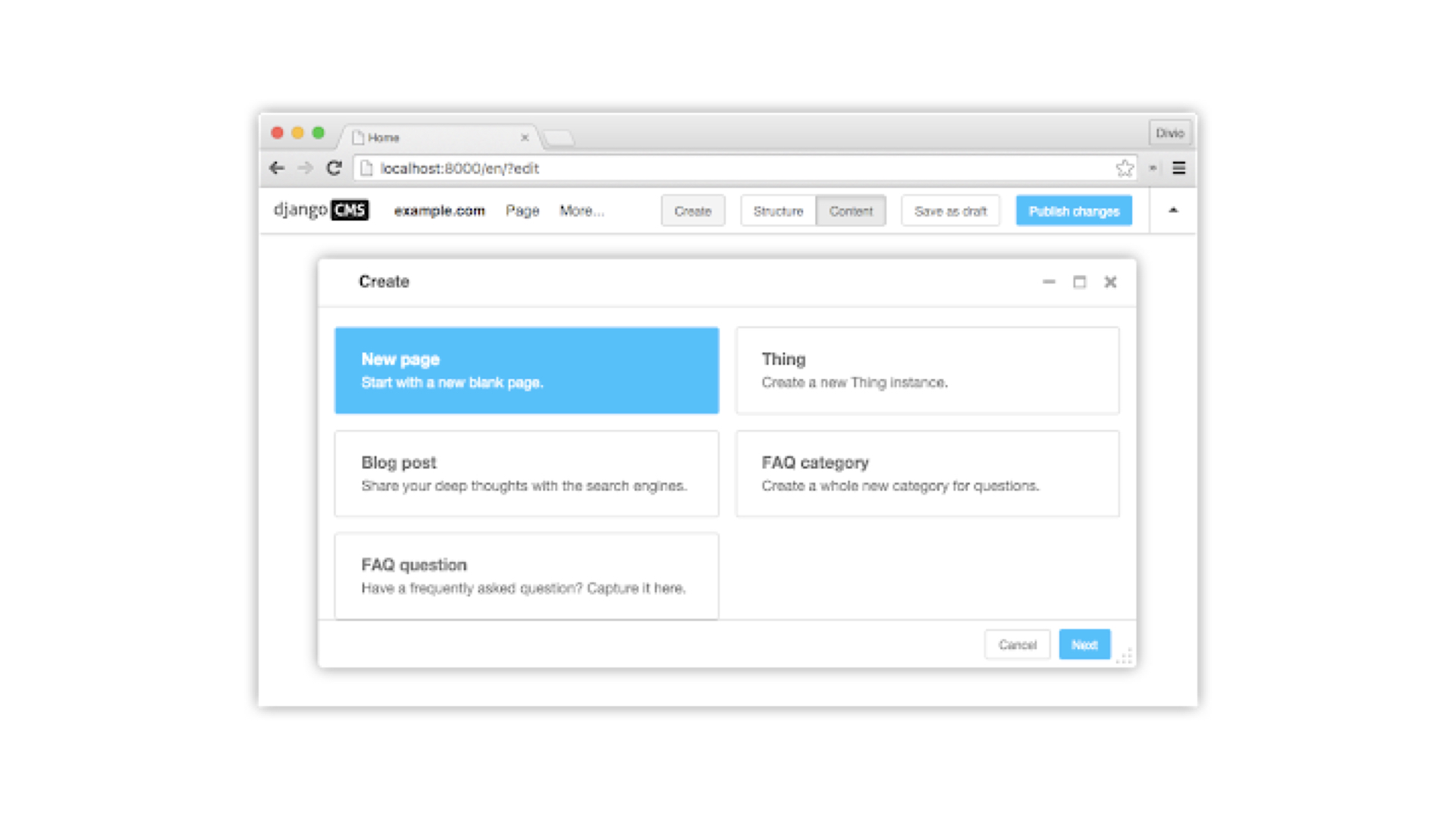
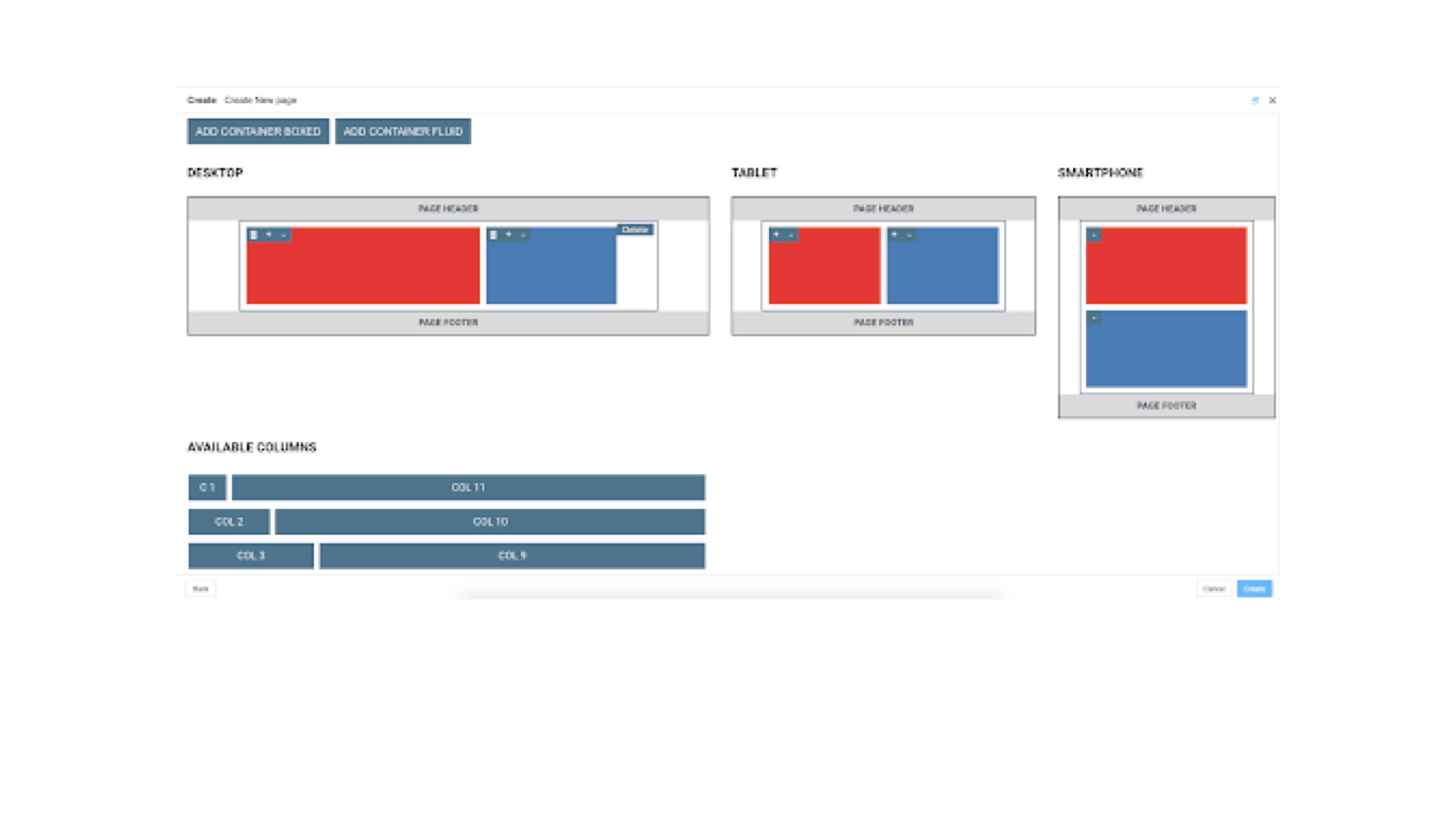
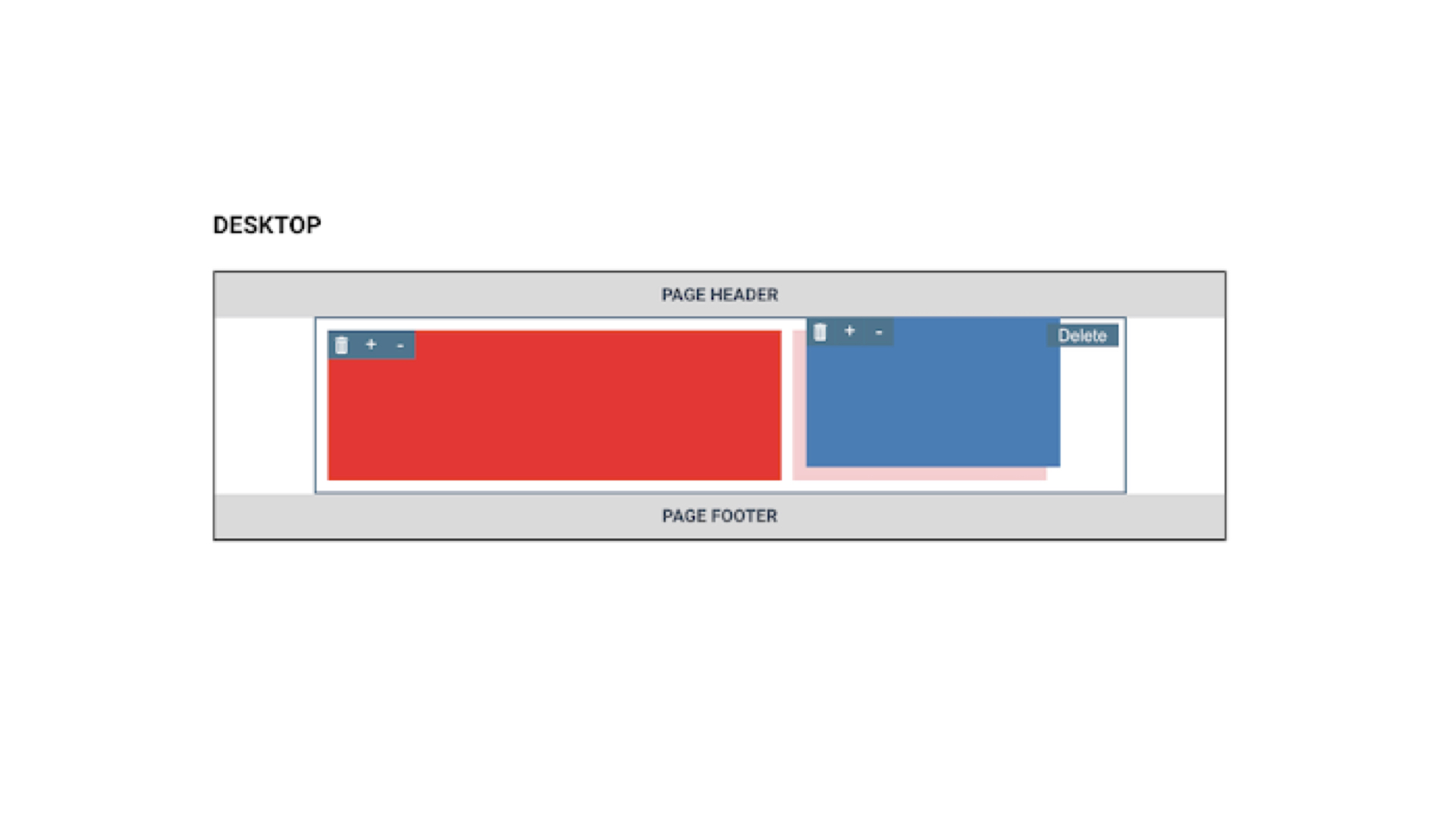
With the technologies chosen, we developed the wizard for creating the grid layout, trying to keep the interface essential and minimal, in order to make the experience immediate and intuitive for editors using the CMS.
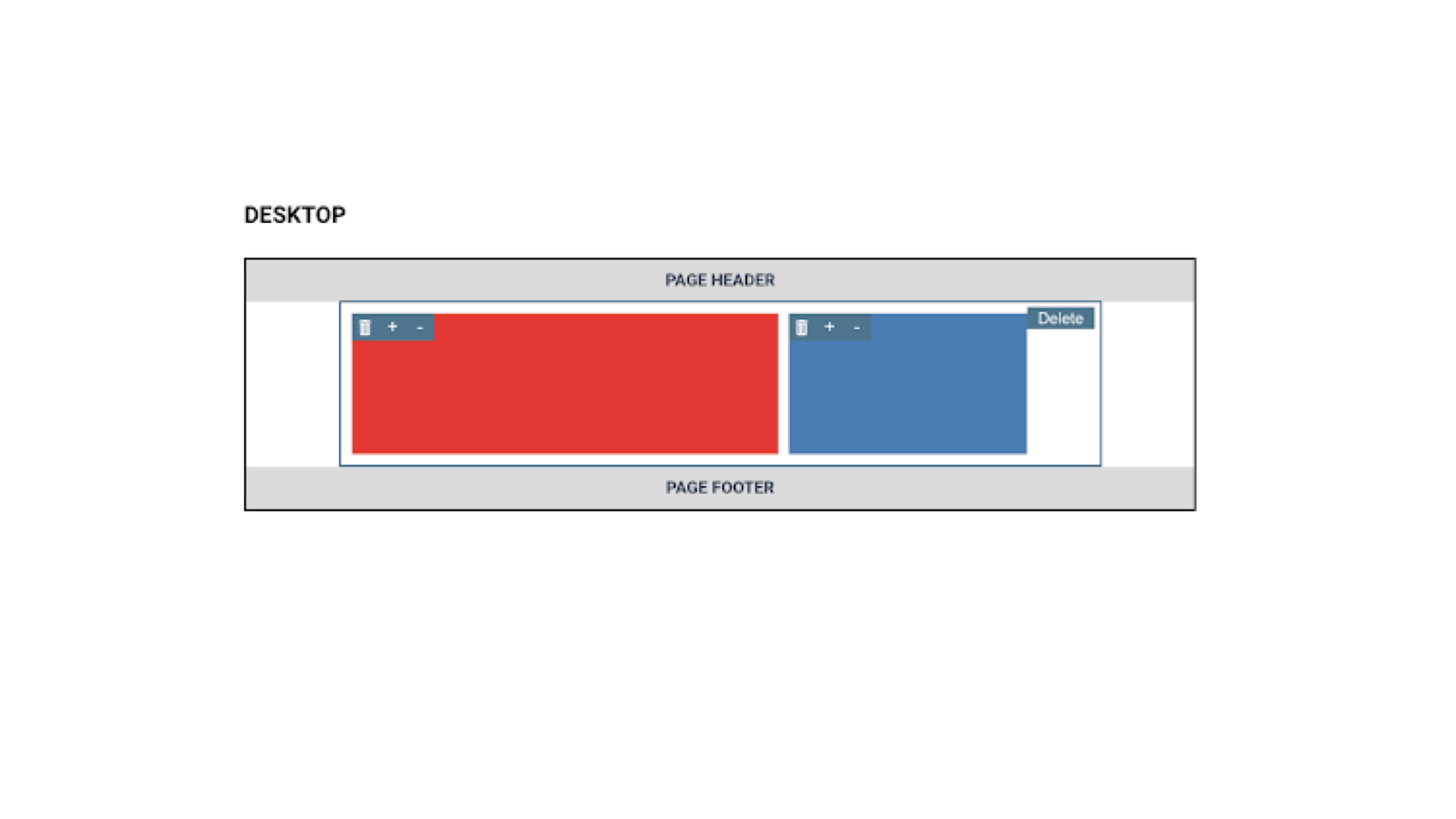
A closer look at the grid elements makes it easy to understand how the associated buttons work, adding and removing columns, as well as deleting the entire element are just a click away for each of the created elements.
Dependencies
We have already talked about some libraries and frameworks necessary for the proper functioning of the plugin, first of them Django CMS. Bootstrap was also mentioned for building the grid, that also is a dependency needed to correctly interpret the style classes that define the containers, rows, and columns.
But there are also other dependencies on third-party libraries needed for less basic needs, but still very important for the proper functioning of the plugin.
An example are the vue-drag-drop and interactjs libraries, used to allow the drag and drop of elements inside containers, this allows editors to have an intuitive interface for our layout creation wizard, ensuring a fast curve of learning even to less experienced users.

During development, libraries such as eslint and prettier were used to ensure consistent code formatting, readability, and maintainability, in order to ensure high quality code, both by developers within Frankhood and by any external collaborators in the future.
Communication
At this point we have clearly defined what technologies are used to develop the plugin, but how can we communicate information about the structure of the grid from Frontend to Backend to be translated into a series of structures that can be populated through the CMS?
The obvious answer is JSON.
Using the JSON format we can easily serialize the grid information at the time of saving, and send it from the Frontend to the Backend easily. Through nesting we can replicate the chosen layout, and assign all the properties we need on each element, including the properties that will then define the css classes needed to bootstrap to build the grid on the page.
Once this information, in JSON format, reaches the backend, it is interpreted in order to build the desired grid via the CMS, this grid will then be editable and populable, and will respect the configuration indicated at the time of creation (unless modified later via the cms).


Release
Once the development was completed using the technology stack described in the previous paragraphs, the package was released on github, available for use and / or collaboration by third parties.
The package can be reached at the following link:
https://github.com/frankhood/django-cms-bootstrap-grid-builder
The indicated repository contains detailed documentation, with guidelines for using the package and for submitting changes and new features via merge requests.
Mission accomplished!
All we have to do is use this new tool to make our lives easier whenever we need to provide an intuitive wizard for creating grids to the editors of our site!